Sometimes you don't want help from an AI about AI.
You want a person. Buoy puts one on your screen in about a minute: someone a level ahead of you, on voice, looking only at the window you choose.
Free in early access. Sign in with LinkedIn. First minute of every session is on us.
Why a human, though?
The AI can't tell you what it doesn't know. A person who hit the same wall last week can.
One level up, not ten
Everyone on Buoy has a level. You get matched with someone just ahead of you, so the advice is "here's the thing I did," not a keynote.
They see one window
You pick the window. Not your desktop, not your email, not the other screen. Share nothing at all if you just want to talk.
Ten minutes, then gone
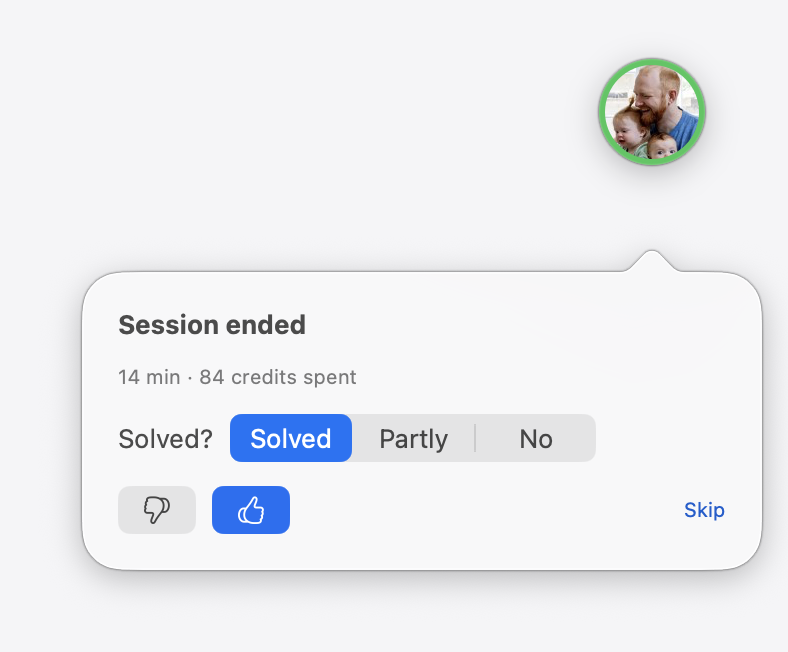
No ticket, no thread, no "circling back." You talk, you get unstuck, you both go back to work. Rate it with a thumb.
How it works
Screenshots from the actual app, taped on so you know we didn't draw them.
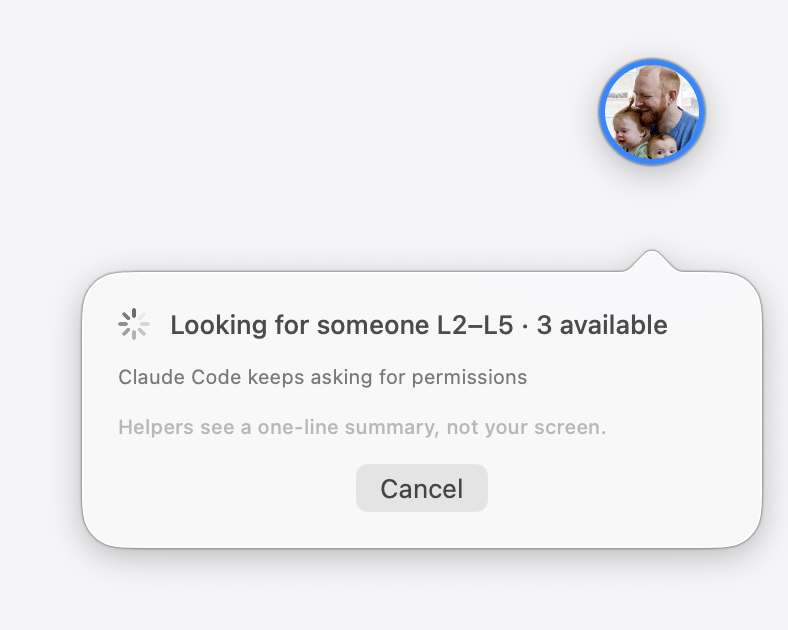
1Say what's wrong
Type it or talk. Buoy boils it down to one line and shows that line to helpers in your range. Not your screen, not your rambling. Just the line.
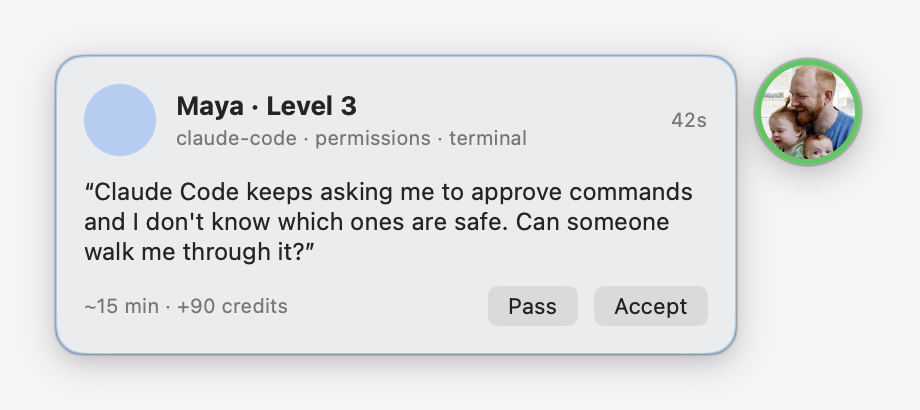
2Someone says yes
Helpers get a card: level, tags, a time guess. First to accept is in. Usually under a minute, because the card goes to people who are actually free.
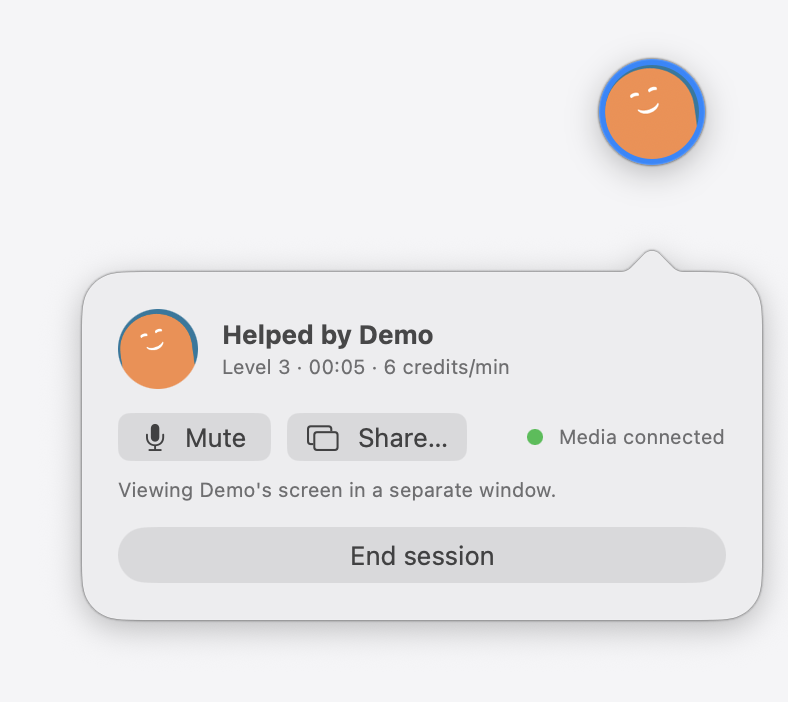
3Talk it through
Voice connects on its own. Share a window when you're ready. Hit End when you're unstuck, and nobody has to write a summary.
It runs on favors.
Credits, not subscriptions. Ask and you spend a few. Flip on "Available to help" and you earn them back. Most active helpers never pay.
- You start with100 credits
- Getting help, one level up~4 / minute
- First minute of every sessionfree
- Helping someonesame rate, back to you
What Buoy is not
- A support desk. Nobody owes you an answer, and the person who shows up is doing it for credits and because they remember being stuck.
- A course. There's no curriculum. You bring the problem you have right now.
- A chatbot in a trench coat. If you pick "Human," a human shows up. (Pick "Bot" at 2 a.m. and we'll tell you it's a bot.)
- A way to find out what the person next to you already figured out, without having a person next to you.
From the blog
Written by people. Sources at the bottom. All posts · RSS
-
The biggest efficiency gain ever (terms and conditions apply)
Generative AI is being adopted faster than the PC, and the controlled studies show 14% to 56% productivity gains. Read the fine print and you find the same catch every time: the gains go to people who already know how to use the thing.
-
Why ask a human about an AI?
The model can't tell you where its own edges are. The person who fell off the same edge last Tuesday can, in about four seconds. On tutoring, the jagged frontier, and the strange fact that the best AI assistants are made of other people's habits.
-
How Buoy works, honestly
What the app does, what the helper can see, what it costs, what we record, and what isn't built yet. Written for people who read the privacy section first.
Questions people actually ask
Who are the helpers?
Other Buoy users, a level or two ahead of you on the thing you're stuck on. Everyone signs in with LinkedIn, every session gets a thumbs up or down, and levels move with those ratings.
Is this only for Claude Code?
No. Anything AI: ChatGPT, Claude, Cursor, Windsurf, Copilot, Gemini, agents, prompts, "is this output even right." The share picker lists AI apps first because that's what people ask about.
What does it cost?
Credits. 100 to start, about 4 a minute to get help depending on the level gap, first minute free. Helping earns at the same rate.
What can the helper see?
Before they accept: a one-line summary and tags. After: your voice, and whichever single window you choose to share, if any. Never your desktop by default. On-device masking of secrets is being built.
Windows? Linux?
Not yet. Buoy is a native Mac app for macOS 14 and later. A web console for helpers is next.
How do I install it?
Download the zip, unzip, drag Buoy to Applications. It's early access and not notarized yet, so the first time, right-click the app and choose Open. It asks for Microphone and Screen Recording the first time you use each.
Stop being stuck.
Download Buoy, sign in, ask the thing. Someone's just above you.
Download for MacmacOS 14 or later · free in early access